Shopify Product Photography: How to Create Product Images
When someone walks into a store, they can pick up a product.
They can turn it around. Look at the details. Feel the material. Compare the color. See how big it actually is. Read the packaging. Look at the texture. Try it on. Imagine how they might use it.
When someone shops on your Shopify store, they can’t do any of that.
Your product photography has to do it for them.
That’s why good ecommerce product photography isn’t simply about making your products look nice. Your photographs need to answer questions, establish trust, show important details, communicate your brand, and give customers enough information to feel comfortable clicking Add to Cart.
Whether you’re launching your first Shopify store, replacing outdated product images, adding hundreds of new SKUs, or building a completely new visual identity for an established ecommerce brand, your photography should be created intentionally around how your customers actually shop.
I’m a commercial and product photographer based in Chippewa Falls, Wisconsin, serving businesses throughout Eau Claire, Western Wisconsin, Minneapolis, the Twin Cities, and beyond.
Brands outside Wisconsin can also ship products directly to my studio for photography, making professional ecommerce product photography possible without your marketing team ever needing to travel.
Here’s what I recommend businesses consider when planning product photography for Shopify and other ecommerce platforms.
What Is Shopify Product Photography?
Shopify product photography is commercial photography created specifically to help businesses present and sell products through their Shopify store.
That sounds simple, but there’s an important distinction.
Product photography isn’t necessarily one beautiful photograph of each product.
A strong ecommerce photography library might include clean catalog images, multiple angles, detail photos, scale photos, lifestyle imagery, packaging photos, group photos, advertising images, social media content, and photos showing how a product is actually used.
Each image has a different job.
The goal is to create a visual experience that helps replace what customers would normally experience by physically examining a product.
Shopify recommends using multiple high-quality images to help customers understand products, including different perspectives and close-up photos that show important details. Lifestyle photography can provide additional context by showing how a product looks or functions in the real world.
Think about your product page as a digital salesperson.
What questions would a customer ask if your product were sitting in front of them?
Your photography should help answer as many of those questions as possible.
Why Product Photography Matters for Ecommerce
Customers shopping online make decisions quickly.
They may discover your product through Google, Instagram, Facebook, an advertisement, an email campaign, Google Shopping, Pinterest, or directly through your Shopify store.
Before they read every word of your product description, there’s a good chance they’re already looking at your photographs.
Professional product photography helps customers understand what they’re buying while giving your brand a more polished, consistent look.
Strong ecommerce photography can support:
Customer confidence
Brand recognition
Product understanding
Perceived product quality
Advertising performance
Social media marketing
Email campaigns
Google and image search visibility
Retail catalogs and printed marketing
Marketplace listings
Most importantly, photographs can answer questions before customers have to ask them.
If texture matters, show texture.
If size matters, show scale.
If craftsmanship matters, photograph the craftsmanship.
If the back of the product has important features, show the back.
If packaging is part of the experience, photograph the packaging.
Don’t make customers guess.
What Product Photos Should a Shopify Store Have?
There isn’t one universal number of photographs every product needs.
A relatively simple product may need only a few images. A premium, technical, wearable, customizable, or expensive product may need considerably more.
Instead of asking, “How many photos do we need?” I prefer asking:
What does a customer need to see before they would feel comfortable purchasing this product?
From there, we can build the photography shot list.
Here are several types of product images worth considering.
1. The Main Product or Hero Image
Your primary product image is often the first photograph customers see.
It may appear on your product page, collection pages, search results, advertisements, recommended-product sections, or other marketing materials.
Keep this photograph clean.
The product should be immediately recognizable without unnecessary distractions.
Depending on the brand, this could mean photographing the product against white, gray, another solid color, or a carefully selected background consistent with the company’s visual identity.
The important part is consistency.
If customers are browsing 40 products on a collection page, those photographs should feel like they belong together.
Camera position, crop, lighting, shadows, background, and product placement should remain consistent throughout the catalog whenever appropriate.
That consistency is one of the biggest differences between a collection of random photographs and an intentional ecommerce image library.
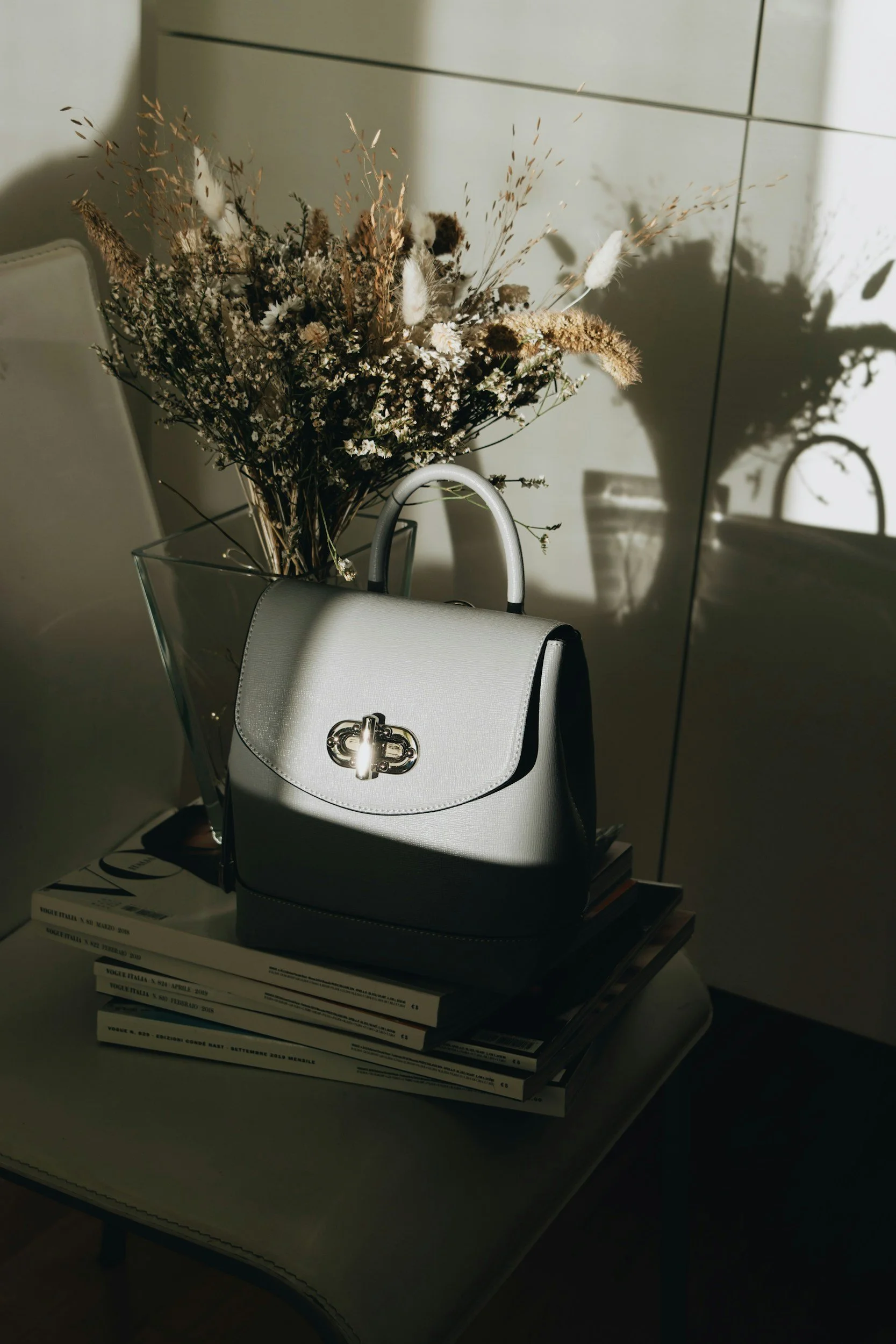
2. Multiple Product Angles
Imagine picking up a product in a store.
You probably wouldn’t stare at the front and immediately put it in your cart.
You’d turn it around.
Your Shopify photography should allow customers to do something similar.
Depending on the product, that could include:
Front view
Back view
Side views
Three-quarter view
Top view
Bottom view
Open and closed configurations
Inside views
Different product positions
You don’t necessarily need every angle for every product.
Photograph the angles that provide useful information.
A backpack might need photographs of the front, back, straps, interior compartments, zippers, and pockets.
A bottle may need the front label, back label, cap, packaging, and several three-quarter views.
A piece of furniture might require front, side, rear, detail, and room photographs.
Think like your customer.
What would they turn the product around to inspect?
Photograph that.
3. Detail Product Photography
Some of the most valuable ecommerce photographs aren’t photographs of the entire product.
They’re the details.
If you’re selling something for its quality, construction, materials, engineering, texture, or craftsmanship, customers need to see those differences.
Detail photographs might highlight:
Stitching
Fabric texture
Wood grain
Metal finishes
Buttons
Controls
Fasteners
Connectors
Hardware
Labels
Engraving
Craftsmanship
Product interfaces
Special materials
Small design features
These images can be especially important for premium products.
If you’re asking customers to pay more because your product is built better, photography should help demonstrate why.
4. Photographs That Show Scale
One of the hardest things to understand online is size.
A product photographed by itself against a white background might look fantastic while providing almost no sense of scale.
Sometimes dimensions in the description aren’t enough.
Show the product next to something recognizable.
Better yet, show someone holding, wearing, carrying, sitting on, or interacting with it when appropriate.
This is especially useful for jewelry, bags, furniture, tools, accessories, home products, outdoor products, food, beverages, and products available in multiple sizes.
Your customer shouldn’t open the package and say:
“I thought this was going to be bigger.”
Photography can help establish more accurate expectations before purchase.
5. Lifestyle Product Photography
Clean ecommerce photographs explain what you’re selling.
Lifestyle product photography helps explain what owning it might feel like.
Instead of photographing a coffee mug by itself, photograph it being used during someone’s morning routine.
Instead of photographing hiking gear exclusively against white, show it outdoors.
Instead of only photographing furniture isolated from its surroundings, show it styled in a finished room.
Lifestyle imagery gives products context.
It can also communicate your brand’s personality much more effectively than traditional catalog photographs alone.
Who uses this product?
Where do they use it?
What does their life look like?
What problem does your product solve?
What experience does it create?
Lifestyle product photography helps customers imagine your product as part of their own lives.
And those photographs can often be used far beyond Shopify.
They can become content for social media, email campaigns, advertisements, banners, landing pages, catalogs, dealer materials, and other marketing.
6. Product Feature Photography
Feature photography is slightly different from standard detail photography.
Instead of simply making a feature visible, we’re deliberately creating an image around a selling point.
Maybe your cooler has a specific latch system.
Your backpack has a hidden pocket.
Your tool has an adjustable component.
Your bottle has a particular lid.
Your product folds into a compact configuration.
Your furniture has built-in storage.
Those are features worth intentionally photographing.
If your website copy says:
“Designed with an easy-access magnetic closure.”
there should probably be a photograph showing that closure.
Your photography and product copy should work together.
7. Packaging and Unboxing Photography
Don’t forget about the box.
Packaging can be a significant part of a customer’s experience, particularly for premium products, gifts, subscription boxes, cosmetics, food products, alcohol brands, apparel, jewelry, and direct-to-consumer products.
Consider photographing:
Retail packaging
Shipping packaging
Boxes
Bags
Labels
Product inserts
Included accessories
Complete package contents
Gift packaging
Unboxing sequences
This can also reduce confusion about what’s actually included with a purchase.
If customers receive five components, showing all five together can communicate that faster than burying the information in a product description.
8. Group and Collection Photography
Sometimes products need to be photographed together.
This works particularly well for:
Product families
Collections
Kits
Bundles
Color options
Gift sets
Subscription boxes
Seasonal releases
Related products
Group photographs can help customers understand the range of products available while creating useful imagery for collection pages, advertisements, social media, website banners, and email campaigns.
9. Advertising and Marketing Images
This is an area businesses sometimes forget when planning a product photography session.
Your Shopify product page isn’t the only place these photographs are going.
Marketing departments constantly need images for different layouts.
A tightly cropped square photograph might work beautifully on a product page but terribly as a horizontal website banner.
That’s why I like discussing the intended uses before photographing anything.
We may intentionally create images with negative space so your designer can add copy.
We might photograph horizontal and vertical compositions.
We might create images specifically for Instagram, Facebook, Pinterest, email marketing, paid advertisements, brochures, trade-show displays, or website banners.
Instead of creating one photograph for one purpose, we can build an entire commercial image library during the same production.
That creates considerably more value from a single photography project.
How Many Product Images Should You Have on Shopify?
There isn’t a magic number.
Your goal isn’t to reach an arbitrary image count.
Your goal is to answer the customer’s questions visually.
A simple product may need a clean hero photo, a three-quarter angle, a rear photo, a detail image, a scale photo, and a lifestyle image.
A more complicated product could require considerably more.
Ask yourself:
Can customers see the entire product?
Can they see the back?
Can they understand the size?
Can they see important materials?
Can they understand how it’s used?
Can they see important features?
Can they see what’s included?
Can they see available variations?
Can they imagine themselves using it?
If the answer to one of those questions is no, that’s probably another photograph worth creating.
What Size Should Shopify Product Images Be?
Shopify currently allows product and collection images up to 5000 x 5000 pixels or 25 megapixels, with individual image files smaller than 20 MB.
For square product photographs, Shopify says 2048 x 2048 pixels typically displays well.
That doesn’t mean you should automatically export every image at the maximum possible dimensions.
Your website still needs to load quickly.
The goal is to balance sufficient resolution with reasonable file sizes and let your Shopify theme display images appropriately across desktop and mobile devices.
Your exact export requirements can also depend on your website design, theme, zoom functionality, and where else the photographs will be used.
When I create commercial photography for a business, I also want to know whether those files will be used only online.
If you’re eventually creating packaging, brochures, banners, displays, advertisements, or large-format prints, we may need high-resolution master files in addition to web-ready versions.
Planning for those uses ahead of time can save considerable trouble later.
Should Shopify Product Images Be Square?
Square images work very well for many Shopify stores because they create a consistent grid and adapt nicely to different layouts.
However, that doesn’t mean every photograph your business creates should be square.
Your website might use square catalog photographs while your marketing department needs:
Vertical images
Horizontal images
Website banners
Instagram crops
Story and Reel covers
Email headers
Digital advertisements
Printed marketing
Trade-show graphics
That’s why commercial photography should be planned around the entire marketing ecosystem, not just one product-page image slot.
We can always crop photographs.
But intentionally composing for multiple uses usually produces better results.
Product Photography and Accurate Color
This is something I care about considerably.
The photograph should represent the actual product.
Your red shouldn’t unexpectedly become orange.
Your warm wood shouldn’t suddenly look gray.
Your navy product shouldn’t appear black.
Accurate color matters most for clothing, furniture, interior products, paint, textiles, artwork, food packaging, cosmetics, and other products where color influences the purchasing decision.
Some variation will always occur between displays because customers use different phones, monitors, brightness settings, and display profiles.
But the photography itself should begin with an accurate representation.
Professional lighting, color management, editing, and calibrated equipment help us get as close as reasonably possible.
My photographic style has always prioritized natural, true-to-color imagery, and that carries directly into my commercial work.
Consistency Matters Across Your Entire Product Catalog
One great photograph isn’t enough if the other 75 products look completely different.
Ecommerce photography needs consistency.
Imagine shopping through a website where one product is photographed from eye level, another from above, another with hard shadows, another with soft lighting, and another has a completely different background.
Even if every photograph is technically good, the store can still feel disorganized.
When photographing multiple SKUs, we can establish a repeatable system.
That might include standardized:
Camera position
Product placement
Lighting
Background
Lens choice
Crop
Image ratio
Shadow direction
Editing
Export settings
Naming conventions
Once established, that system makes it much easier to photograph additional products later while maintaining the same visual identity.
This is especially valuable for manufacturers and ecommerce companies that continually release new products.
Shopify Product Photography and SEO
Your photographs aren’t only for humans.
They can also contribute to your overall ecommerce SEO strategy.
One easy place to start is image alt text.
Alt text describes what an image contains. It’s important for accessibility because assistive technologies can use those descriptions, and descriptive alt text can also help search engines understand your images.
Avoid stuffing keywords into every image.
Instead, accurately describe what’s shown.
For example:
Bad alt text:
product photo
Better alt text:
Black insulated stainless steel water bottle with screw-top lid
Another image of that same product might have:
Black insulated water bottle shown open with removable screw-top lid
And a lifestyle photograph might use:
Black insulated water bottle attached to hiking backpack on wooded trail
Each photograph shows something different, so the descriptions should be different.
Shopify currently recommends keeping alt text brief and descriptive, with 125 characters or less recommended.
File names can also be descriptive.
Instead of:
DSC_4837.jpg
Consider something like:
black-insulated-water-bottle-front.jpg
The objective isn’t keyword stuffing.
It’s organization and useful description.
Can You Take Shopify Product Photos Yourself?
Absolutely.
Not every business needs professional photography from day one.
If you’re testing a product idea, operating with a tiny startup budget, or trying to determine whether there’s even a market for something, your phone and a simple lighting setup may be enough.
Modern phones can produce impressive images.
The challenge usually isn’t owning an expensive camera.
It’s creating consistency.
Lighting needs to remain consistent.
Colors need to remain accurate.
Products need to be prepared carefully.
Camera position needs to remain repeatable.
Backgrounds need to be clean.
Reflections need to be controlled.
Products need to remain sharp.
Editing needs to match from image to image.
That’s relatively manageable with five products.
It becomes considerably more difficult with 50, 200, or 500 products.
At some point, the question becomes less about whether you can photograph the products yourself and more about whether do’s the best use of your time.
When Should You Hire a Professional Product Photographer?
Professional product photography starts making more sense when your products are established and the quality of your visual presentation becomes important to growth.
Consider professional photography when:
You’re rebuilding your ecommerce website.
You’re launching a new brand.
You’re introducing a major product line.
Your existing images don’t look consistent.
You’re expanding into retail.
You’re investing heavily in advertising.
You need images for multiple marketing channels.
Your products are difficult to photograph.
Accurate color is extremely important.
Your products have reflective surfaces.
You have many SKUs.
Your marketing department constantly needs new content.
You’re preparing for a catalog, campaign, or trade show.
Your product photography no longer matches the quality of your actual product.
That’s usually a pretty good indication that it’s time.
What About AI Product Photography?
AI is changing commercial photography quickly, and pretending otherwise doesn’t help businesses make better decisions.
AI has legitimate uses in ecommerce.
AI tools can potentially help businesses experiment with backgrounds, generate concepts, create mockups, test ideas, or expand existing creative assets.
But an important distinction exists between creating marketing imagery and accurately representing a physical product.
Customers still need to know what they’re actually purchasing.
If the AI changes the shape of a product, modifies a texture, moves a button, changes stitching, alters packaging, invents a reflection, changes proportions, or creates a color that doesn’t exist, you’ve created a visual that may no longer accurately represent what the customer will receive.
For many brands, I think the strongest approach will be combining technologies intelligently.
Start with accurate, high-quality photographs of the real product.
Those images become your visual source of truth.
From there, your marketing team has much more flexibility to create campaigns, layouts, advertising concepts, and additional assets.
AI doesn’t eliminate the need for accurate product representation.
If anything, trustworthy base imagery becomes even more important.
Planning Product Photography for 50, 100, or 500+ SKUs
Large ecommerce projects require a different approach.
You don’t want to show up with 300 products and decide what we’re photographing as we go.
We need a system.
Before a large product photography project, I want to understand:
How many products are being photographed?
How many variations exist?
How many photographs are required per SKU?
Which products need lifestyle images?
Which products need detail images?
Are products available in multiple colors?
Do products need assembly?
How should products be prepared?
Does packaging need to be photographed?
Where will the images be used?
What aspect ratios are required?
What file types are needed?
What naming convention should we use?
Who is responsible for approving images?
What is the launch deadline?
This is where preproduction saves enormous time.
We can create a shot list and establish the photography style before photographing the entire catalog.
Once everyone approves the direction, production becomes significantly more efficient.
Building a Commercial Image Library Instead of Just Product Photos
This is where I think businesses can get considerably more value from commercial photography.
Instead of saying:
“We need photographs of these 25 products.”
Let’s talk about what your company actually needs for the next six or twelve months.
Maybe you need those 25 products photographed individually.
But your marketing department also needs a new homepage banner.
Sales needs photographs for a brochure.
Your social media manager needs vertical content.
You have a trade show coming up.
Your email campaigns need lifestyle photographs.
Your dealers need approved marketing assets.
Your paid advertisements need clean product photographs with room for copy.
Now we’re not simply photographing products.
We’re building an image library.
One commercial photography production can potentially create assets for:
Your Shopify store
Your company website
Amazon or other marketplaces
Social media
Paid advertisements
Email campaigns
Print catalogs
Sales materials
Dealer networks
Trade shows
Press releases
Google Business Profile
Packaging
Internal presentations
Public relations
Future campaigns
That’s a much better conversation.
Product Photography for Wisconsin Businesses
My studio is located in downtown Chippewa Falls, Wisconsin, just outside Eau Claire.
I work with businesses throughout Chippewa Falls, Eau Claire, Western Wisconsin, the Twin Cities, and the surrounding region on commercial photography, branding photography, headshots, and product photography. We travel nationally to work with larger brands.
Depending on the project, I can photograph products at my studio or bring equipment directly to your business.
On-location product photography can make sense when products are particularly large, difficult to transport, installed permanently, or when we’re also creating manufacturing, industrial, employee, or branding photographs during the same production.
And your company doesn’t have to be located in Wisconsin.
Ship Your Products to My Studio From Anywhere in the United States
If you’re running a Shopify or ecommerce company outside Wisconsin, you can ship your products directly to my Chippewa Falls photography studio.
We can plan the entire project remotely.
Before we photograph anything, we’ll discuss your products, website, branding, required images, image orientation, shot list, deadlines, intended usage, and how the products need to be returned.
Once the products arrive, I can photograph them according to the approved plan.
This makes professional product photography available to companies throughout the United States without sending your marketing team to Wisconsin.
For recurring product launches, we can also establish a consistent photography style so future products match the existing catalog.
Frequently Asked Questions About Shopify and Ecommerce Product Photography
Do you photograph products specifically for Shopify stores?
Yes. I photograph products for Shopify stores and other ecommerce websites. We can create clean catalog photographs, multiple angles, detail images, lifestyle photography, packaging images, product groups, and additional marketing photographs depending on what your business needs.
How much does product photography cost?
Product photography pricing depends heavily on the project.
Photographing ten simple products against a consistent background is very different from photographing 100 products that require multiple angles, extensive retouching, styling, models, locations, or lifestyle scenes.
The best way to price commercial photography accurately is to discuss the number of products, number of final images, complexity, intended usage, production requirements, and deadline.
From there, I can build a proposal around the actual project rather than forcing every business into the same package.
Can I ship products to your photography studio?
Yes.
Businesses outside the Eau Claire and Chippewa Falls area can ship products directly to my Wisconsin studio.
We’ll establish the photography plan before you ship your products so everyone knows exactly what needs to be created.
Do you photograph products on white backgrounds?
Yes.
Clean white or neutral-background photography works very well for ecommerce catalogs and Shopify stores.
We can also create transparent-background images, colored-background photographs, lifestyle imagery, or other styles depending on your website and brand.
Can you photograph reflective products?
Yes, although reflective products often require considerably more lighting control and retouching than non-reflective products.
Glass, polished metal, jewelry, glossy packaging, screens, and similar surfaces require careful control of highlights and reflections.
That’s one area where professional lighting makes an enormous difference.
Can you photograph products at our business?
Yes.
For larger commercial projects, I can bring photography equipment to your facility.
This can be particularly useful for manufacturers, furniture companies, industrial products, large equipment, or businesses that want product photography combined with employee, manufacturing, facility, branding, or commercial photography.
Do you photograph lifestyle images too?
Yes.
You can incorporate lifestyle photography into a commercial production when your products benefit from being shown in use.
Depending on the project, this might require models, locations, props, styling, or additional production planning.
Can you photograph hundreds of products?
Yes.
Large ecommerce projects simply require more preproduction.
We’ll establish the image requirements, angles, background, naming conventions, workflow, and approval process before production begins.
That helps keep a large product catalog visually consistent.
Can you create photographs for social media and advertising during the same session?
Absolutely.
In fact, I recommend discussing those needs before the photography session.
If I know your marketing team needs horizontal website banners, vertical social content, square advertisements, email images, or photographs with room for text, I can intentionally create those compositions during the same production.
Do you provide commercial usage rights?
Commercial photography projects include licensing based on how the photographs will be used.
We’ll discuss intended usage during planning so the licensing matches your business needs.
Can you match our existing product photography?
Potentially.
If your company already has an established photography style, send examples of the existing work.
I’ll review the lighting, camera angle, background, crop, shadows, color, and overall visual treatment to determine whether we can create new images that fit naturally with your existing catalog.
What if we don’t know what photographs we need?
That’s completely fine.
You don’t need to arrive with a finished shot list.
Show me your products, your website, how you’re currently marketing them, and where you feel your existing imagery is falling short.
From there, we can identify the images that would be most useful.
That’s part of the planning process.
Your Product Photography Should Make Buying Easier
At the end of the day, that’s the goal.
Your photographs don’t need to be complicated just for the sake of being creative.
They need to help people shop.
Show customers what they’re buying.
Show the details.
Show the scale.
Show how it’s used.
Show what makes it different.
Show the quality.
And create those photographs consistently enough that customers trust the brand behind them.
Whether you’re launching a Shopify store with your first ten products or managing an established ecommerce catalog with hundreds of SKUs, professional product photography should be treated as part of the sales experience rather than simply decoration for your website.
If your current product images aren’t accurately representing the quality of what you sell, let’s fix that.
I’m based in Chippewa Falls, Wisconsin, and work with businesses throughout Eau Claire, Western Wisconsin, Minnesota, and beyond.
If you’re outside the area, ship your products to the studio.
We’ll build the photography plan, create the images your ecommerce store actually needs, and give your marketing team a stronger commercial image library to work with.
Ready to update your Shopify or ecommerce product photography?
Tell me what you’re selling, how many products you have, where the photographs will be used, and what isn’t working with your current imagery.
We’ll start there.
Explore Related Posts